Multi-Channel Tour Bookings: Capture vs Sync
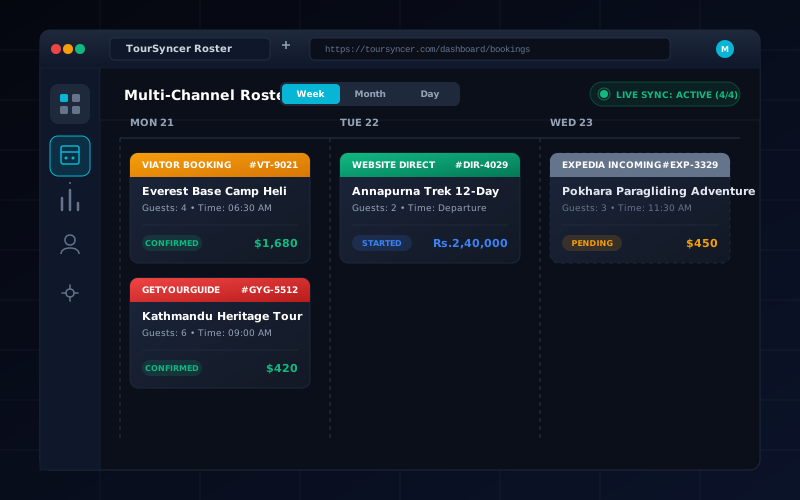
Learn the difference between capturing website, phone, walk-in, partner, and OTA bookings in one system and true two-way channel synchronization.
The short answer
“Multi-channel booking” can describe two different systems:
- Multi-channel capture: website, phone, walk-in, email, or partner bookings are recorded in one operations system.
- Native channel synchronization: external marketplaces automatically exchange availability, bookings, changes, and cancellations with that system.
TourSyncer supports the first model through hosted and embedded direct booking plus manual booking entry. TourSyncer does not currently claim native OTA synchronization with Viator, GetYourGuide, Expedia, or a GDS.
That distinction prevents a buyer from assuming “one dashboard” means every outside channel is automatically synchronized.
Channels TourSyncer can bring into one workflow
- Hosted TourSyncer booking pages
- A booking experience embedded on an operator's website
- Phone reservations entered by staff
- Walk-in bookings entered by staff
- Email or partner requests entered as manual bookings
- Guest names, customer records, invoices, manifests, and check-in tied to those bookings
When these channels use the same TourSyncer schedule and capacity, the operations team sees a common record instead of separate spreadsheets.
What native OTA sync must do
A true channel integration should demonstrate all of the following:
- push remaining capacity to the external marketplace;
- receive a confirmed marketplace booking;
- reduce availability in both systems;
- transmit reschedules and cancellations;
- distinguish platform, payment, and OTA fees;
- handle retry, duplicate, and outage scenarios;
- expose an audit trail when the two systems disagree.
If a vendor cannot demonstrate that loop, treat the workflow as manual capture or one-way import.
Three safe operating models
Direct-first
Use TourSyncer as the source of truth for website, phone, and walk-in bookings. This is the cleanest fit for operators building direct sales and paying 0% TourSyncer booking commission through their own Stripe account. Standard Stripe fees still apply.
Channel-manager-first
Keep a verified channel manager as the inventory authority for OTAs, then define exactly how those bookings enter TourSyncer for itineraries, invoices, customers, staffing, manifests, or check-in. Avoid promising real-time availability unless the integration is tested.
Allocated inventory
Reserve separate capacity for direct and external channels. This reduces dependence on real-time sync but can leave seats unsold. Document who can move allocation and when.
Buyer test for every integration claim
Run one booking through each source and observe:
- initial capacity;
- booking creation;
- payment and fee record;
- guest-name flow;
- reschedule;
- partial and full cancellation;
- refund;
- final manifest;
- failure recovery if one system is unavailable.
Use screenshots and exported IDs, not a sales slide, as evidence.
Where TourSyncer adds value without native OTA sync
An operator may still use TourSyncer online booking for direct sales while using its itinerary, price-rule, invoice, CRM, group, staff-assignment, manifest, and check-in workflows. The correct architecture depends on which system owns availability.
If native distribution is the core requirement, compare Bókun, Rezdy, or another channel manager and verify current connections in writing.