Tour Activity Assignments and Staff Roles
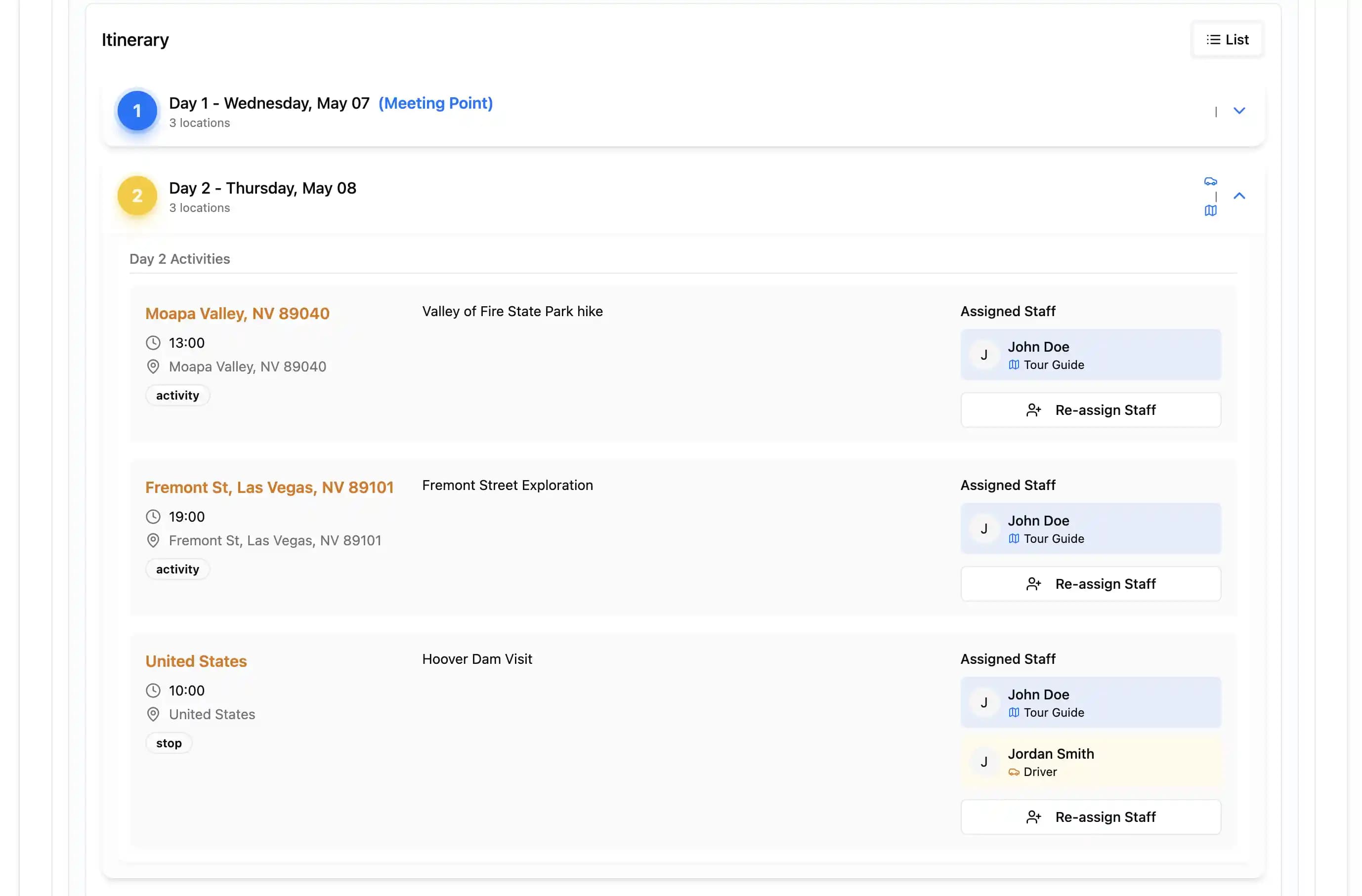
Use schedule and itinerary-activity assignments plus role-based access in TourSyncer without mistaking them for a general task and project-management system.
The short answer
TourSyncer supports role-based access and manager-controlled guide, driver, or agent assignments at schedule and itinerary-activity level.
It is not currently described as a general task-management product with arbitrary tasks, subtasks, deadlines, dependencies, comments, time tracking, kanban boards, or automatic reminders.
What can be assigned
A departure or schedule
A manager can identify who is responsible for the scheduled tour or activity.
An itinerary activity
A multi-day or complex product can place different staff or agents against different activities.
A workspace role
Role-based permissions define what an authorized user can access within an organization or workspace. Exact roles and limits can vary by plan.
What remains outside the task scope
- General administrative task lists
- Due dates and dependency graphs
- Staff self-assignment or shift bidding
- Automatic assignments
- Time-off, payroll, or timesheets
- Certification and training records
- Vehicle, room, or equipment tasks
- Automated task reminders
Use a project or workforce tool for those jobs and keep the final operational assignment with the TourSyncer schedule or itinerary.
Practical workflow
- Build the product and itinerary.
- Publish the schedule and capacity.
- Identify the activities that require a guide, driver, or agent.
- Confirm availability and qualification through the authoritative process.
- Let an authorized manager make the TourSyncer assignment.
- Review the manifest and customer context available to that role.
- Update the assignment when operations change.
See staff scheduling, itinerary building, and multi-workspace roles for the connected workflows.