Tour Staff Scheduling vs Resource Management
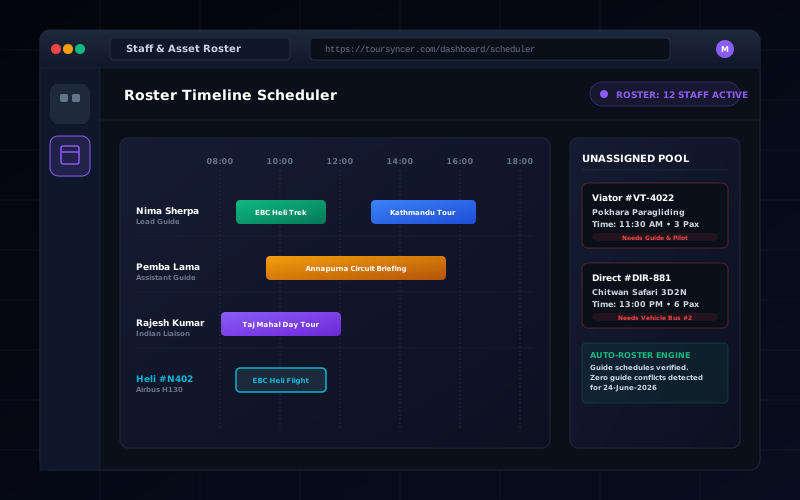
Understand TourSyncer manager-controlled guide, driver, and agent assignments—and when you still need fleet, equipment, availability, or maintenance software.
The short answer
TourSyncer lets authorized managers assign guides, drivers, or agents to a schedule or itinerary activity and review those assignments with the operating context.
That is staff assignment—not a full workforce, fleet, or equipment management system. TourSyncer does not currently claim automatic staff selection, staff self-availability, time-off approval, payroll, certification matching, shift swapping, vehicle inventory, equipment maintenance, or automatic conflict resolution.
Two assignment levels
Schedule assignment
Use schedule-level assignment when one guide, driver, or agent owns the departure.
Itinerary-activity assignment
Use activity-level assignment when a multi-day itinerary or complex experience needs different people for different steps.
Managers remain responsible for checking suitability, availability, hours, qualifications, and safety requirements.
When TourSyncer is enough
The verified assignment workflow can fit:
- a food tour company assigning guides to daily departures;
- a visitor attraction assigning staff to guided sessions;
- a tasting room assigning a host to each timed tour;
- a safari operator assigning guides or drivers to itinerary activities;
- a retreat organizer assigning facilitators to scheduled sessions;
- a travel agency assigning agents to operational activities.
When to keep a specialist system
Use workforce or resource software when the business needs:
- employee availability and shift bidding;
- overtime, breaks, leave, payroll, or labor-law controls;
- certification expiry and compliance matching;
- vehicle, vessel, room, or equipment inventory;
- asset maintenance schedules;
- route optimization or telematics;
- automatic conflict detection and replacement recommendations.
Integrate or reconcile only the final assignment that TourSyncer needs for the departure.
Manager checklist
- Confirm the product, schedule, and capacity.
- Review the itinerary activities requiring ownership.
- Check availability and qualification in the authoritative staff system or process.
- Assign the guide, driver, or agent in TourSyncer.
- Review the manifest and guest notes the role is permitted to see.
- Record changes and handoff before departure.
See TourSyncer staff scheduling for current capabilities and explicit boundaries.