Tour Customer Communication Automation
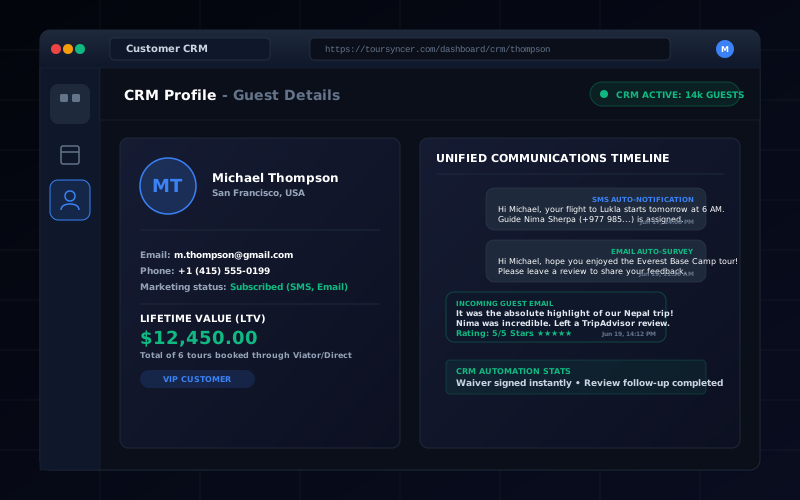
Plan booking confirmations, operational emails, reminders, SMS, group messages, and review requests without assuming one platform automates them all.
The short answer
Tour customer communication is a sequence of different jobs, not one “automation” switch. Booking confirmations, balance notices, operational updates, group emails, SMS, and post-trip review requests may belong to different systems.
TourSyncer's verified communication-related capabilities are customer records, configurable SMTP, customer groups, and group email history connected to operations. TourSyncer does not currently claim automated SMS, scheduled reminder campaigns, weather alerts, or post-trip review requests.
Map every message before choosing software
| Moment | Minimum information | Typical owner |
|---|---|---|
| Booking received | Product, date, guest count, payment status, policy | Booking system |
| Balance due | Amount, due date, payment method | Invoice or payment workflow |
| Pre-departure | Time, meeting point, what to bring, contact | Operations or messaging tool |
| Schedule change | Old and new details, options, contact | Operations team |
| Group update | Relevant departure or customer group | CRM or group communication |
| Post-trip | Feedback or review link, consent rules | Marketing automation tool |
For every row, write whether the action is automatic, manager-triggered, or manual.
What TourSyncer can centralize
TourSyncer's travel CRM can keep customer identity, contact details, preferences, notes, booking history, groups, and group email history near the booking record. Group management helps operators organize departure or custom groups before communicating with them.
Custom SMTP settings let a business use its configured email infrastructure. SMTP configuration alone does not prove a timed automation exists; test the actual trigger, recipient, template, retry, and audit behavior.
When to add a specialist tool
Use an email or SMS automation product when the business needs:
- scheduled messages relative to departure time;
- SMS delivery and opt-out handling;
- weather-triggered or location-triggered updates;
- marketing consent and suppression lists;
- multi-step nurture campaigns;
- post-trip review requests;
- deliverability analytics and template experiments.
Keep one system responsible for customer identity and define which system is allowed to send each message.
Communication acceptance test
Before launch, create a test booking and verify:
- the correct guest and booking are selected;
- date, time zone, meeting point, and payment status are accurate;
- a reschedule does not send contradictory details;
- a cancellation stops irrelevant future messages;
- group recipients cannot see each other's private email addresses;
- failed delivery is visible to staff;
- consent and unsubscribe rules are respected where applicable;
- message history can be traced back to the right customer or group.
A practical TourSyncer starting point
Start by centralizing customer records, operational notes, groups, and the communication history that TourSyncer supports. Add a specialist automation tool only for the message types you can define and test.
This avoids claiming that reminders or SMS are automated before they are—and gives the team one documented source of truth for every customer message.