How TourSyncer Booking Management Works
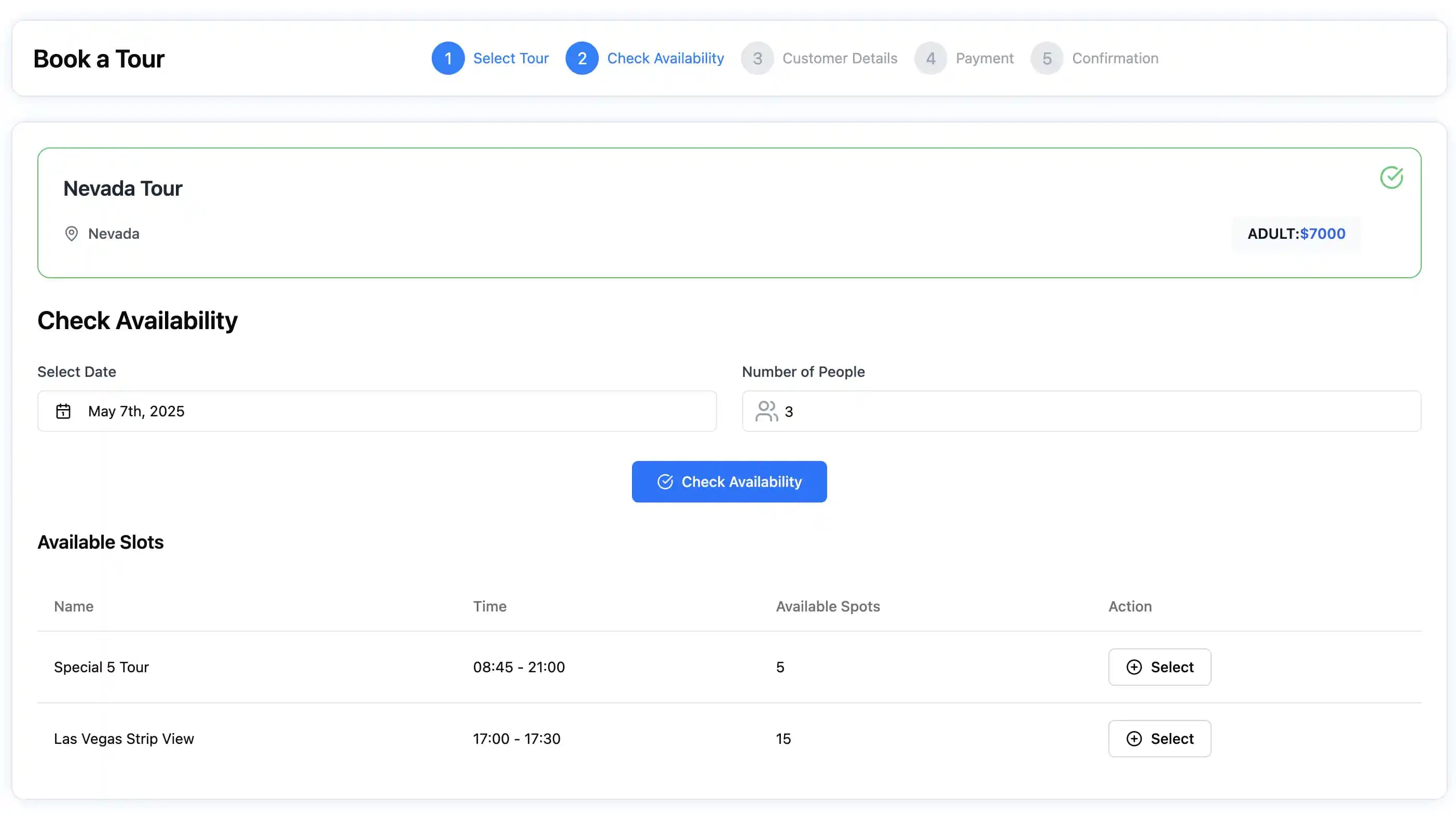
A factual TourSyncer booking workflow: products, schedules, pricing, hosted or embedded checkout, manual bookings, payments, invoices, manifests, and check-in.
The booking workflow in one sentence
TourSyncer connects a tour or activity product to its schedule, capacity, configured price, booking, payment state, customer, invoice, manifest, staff assignment, and check-in record.
An operator can start with direct online booking or use TourSyncer for manual bookings and operations before changing every sales channel.
1. Create the product
Choose an hourly, one-day, or multi-day product. Add itinerary activities and stops where the experience needs them. Configure policies and the customer-facing details used by the booking workflow.
2. Set prices
TourSyncer supports operator-configured prices for adult, child, infant, senior, student, group, weekday, date, and season rules, plus free tours. This is rule-based pricing—not AI demand pricing.
3. Publish schedules and capacity
Create one-time or recurring schedules, capacity, and blackout dates. Managers can later assign guides, drivers, or agents at schedule or itinerary-activity level.
TourSyncer does not claim automatic staff selection or physical vehicle and equipment inventory.
4. Accept direct or manual bookings
Use a hosted booking page or add the booking experience to an existing website. Staff can also enter phone, walk-in, cash, card, pay-later, email, or partner bookings manually.
Native OTA synchronization is not a verified current capability. External marketplace inventory needs a channel manager, allocation, or manual reconciliation process.
5. Capture guests and payment state
Record the booking contact and individual guest names. Available workflows include full payment, partial payment, pay later, cash, card, and payment links where configured.
TourSyncer connects to the operator's own Stripe account and charges 0% TourSyncer booking commission. Standard Stripe processing fees still apply. Automated future-balance charging is not claimed.
6. Manage invoices and changes
Create booking-linked or custom invoices, add items, send payment links, record receipts, void invoices, reschedule bookings, cancel, and manage refunds.
Country-specific taxes, automatic balance collection, and universal multi-currency behavior should be verified rather than assumed.
7. Prepare operations
Use customer records, notes, preferences, manual or automatic groups, manager-controlled staff assignments, and manifests to prepare the departure.
The mobile-friendly check-in workflow supports individual guest names, current check-in status, printing, import, and export. Digital waiver signing and passport-file collection are not included.
Best-fit businesses
The same workflow can support tour operators, food tours, cooking classes, guided visitor attractions, tastings, retreats, and other scheduled experiences.
Each use-case page explains what TourSyncer can solve and which specialist systems the business may still need.